What Is an IT Vending Machine and How Does It Work?
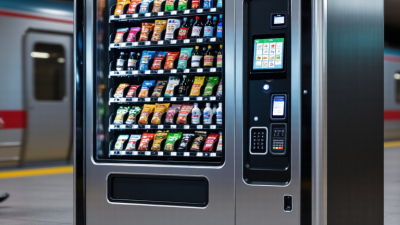
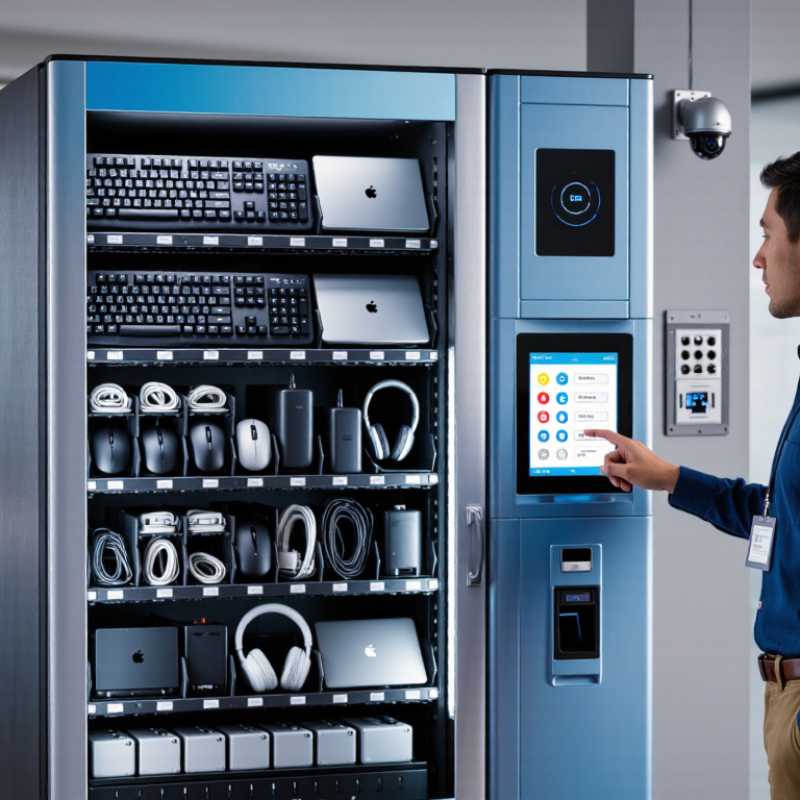
An IT vending machine is a secure, automated station that gives employees approved technology when they need it. It may dispense keyboards, mice, cables, chargers, headsets, or replacement laptops. A worker usually scans an ID badge, selects an item, and confirms the request on a touchscreen. The machine then unlocks one compartment and records the transaction.
This process connects physical inventory with IT service management. RFID tags, barcode scanners, cameras, and cloud software can track each item. A technician can see which device was taken, by whom, and when replenishment is needed. Some systems also verify authorization before releasing higher-value equipment. That detail matters in busy offices, hospitals, factories, and university campuses.
Stephen Mann, Chief Analyst at ITAM Forum, has described IT asset management as “managing the entire lifecycle of IT assets.” An IT vending machine applies that idea in a visible, practical way. It supports faster access, clearer accountability, and fewer routine service-desk requests.
The model is not magic. It depends on accurate records, secure identity checks, reliable network access, and regular maintenance. A poorly stocked machine can frustrate users instead of helping them. A damaged scanner can stop a simple replacement. These limits deserve attention.
This guide explains what an IT vending machine is, how its hardware and software work together, and where it fits within modern IT operations. It also considers costs, security controls, user experience, and the human support still required behind the screen.
What an IT Vending Machine Is
An IT vending machine is a secure, self-service cabinet for distributing approved technology items. It may hold keyboards, chargers, cables, headsets, access cards, or replacement laptops. Employees authenticate with an ID card, mobile code, or service ticket. The machine then unlocks one compartment and records the transaction automatically.
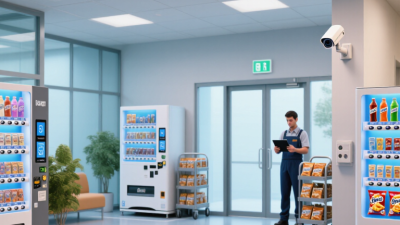
The process resembles a controlled warehouse in miniature. Inventory sensors monitor each slot, while management software connects requests, approvals, and stock levels. A worker can collect a replacement charger at 8 p.m., without waiting for a help-desk technician. That matters as technology spending expands. Gartner forecast worldwide IT spending at $5.06 trillion in 2024, an 8% increase from 2023. More equipment also creates more small support requests.
It is not magic. Poor labeling can cause incorrect selections, and temperature-sensitive devices may need special storage. The 2024 Uptime Institute Global Data Center Survey continued to identify staffing and skills shortages as operational concerns. Self-service machines can reduce routine pressure, but they cannot replace skilled troubleshooting. A practical deployment needs audit logs, stock thresholds, device compatibility rules, and clear return procedures. Experience from workplace deployments suggests that the simplest items create the fastest gains. Complex hardware still deserves human review. That balance is easy to underestimate.
The Main Components of an IT Vending Machine
The Main Components of an IT Vending Machine
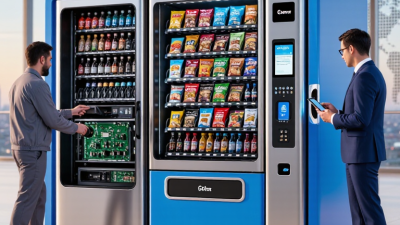
An IT vending machine is a secure cabinet that provides approved equipment when employees need it. Its outer shell protects devices from dust, impact, and unauthorized access. Inside, adjustable storage bays hold items such as keyboards, chargers, headsets, or replacement laptops. Each bay uses a sensor to confirm whether an item was removed or returned. This simple check prevents inventory records from becoming guesswork.
The control panel connects the physical machine with its management software. A touchscreen may request an employee ID, access code, or approval confirmation. Some systems use card readers or mobile authentication instead. A central controller then checks permissions and unlocks the correct compartment. Network connectivity sends stock levels, access times, and fault alerts to the IT team. Power protection is important too. A short outage should not erase a transaction or trap a device inside.
Tips:
Keep high-demand items near the easiest access points. Label every compartment clearly. Test sensors during routine maintenance. I have found that unclear labels cause more delays than slow hardware. Security logs should be reviewed regularly, but not treated as perfect evidence. Sensors can fail, and people can make mistakes. In practice, no design is flawless. A manual recovery process still matters when the screen freezes, the network drops, or an item is placed in the wrong bay.
How an IT Vending Machine Processes User Requests
What Is an IT Vending Machine and How Does It Work?
An IT vending machine is a secure self-service station for common workplace technology supplies. Users can request items such as keyboards, charging cables, adapters, or replacement headsets. The process begins when a user signs in with an approved employee account. The machine checks access rights, stock levels, and any usage limits. A touchscreen then displays available items and guides the user through selection. After confirmation, an internal mechanism releases the item into a collection tray. The system records the transaction automatically.
The request usually reaches an inventory platform within seconds. Administrators can review who collected an item, when it happened, and which supplies remain. This information supports accurate restocking and reduces repeated help-desk tickets. In practice, clear labels and reliable network access matter greatly. A confusing screen can delay even a simple request. The process is not flawless. Misread scans, empty slots, or account errors may still require staff support.
Tips: Keep item descriptions short and specific. Group frequently requested supplies near the easiest access area. Review usage data regularly, but do not treat every unusual request as misuse. A monthly audit can reveal inaccurate stock counts or forgotten equipment. Test the machine after software updates. Small failures become obvious quickly.
Common Items and Services It Provides
An IT vending machine is a self-service station for common workplace technology needs. It usually combines locked storage, a touchscreen, payment or staff authentication, and inventory tracking. Employees can select approved items without waiting for a help desk appointment.
The most requested products are charging cables, power adapters, batteries, keyboards, mice, headsets, USB hubs, and laptop stands. Some machines also provide screen-cleaning kits, privacy filters, and replacement access cards. Each compartment may show a picture, compatibility details, and basic safety instructions. That small screen matters. A wrong adapter can damage equipment or create avoidable downtime.
Many stations offer services, not only supplies. Users may print a temporary access code, report a faulty device, request a replacement, or follow guided troubleshooting steps.
The system can record the user, item, time, and return requirement. This record helps support teams monitor stock and investigate repeated failures.
In practice, clear labels are essential. Employees often choose based on appearance, not technical specifications.
The process is not flawless. A machine may misread a returned cable or release an incompatible accessory. Touchscreens can also confuse users under pressure. Regular inspections, accurate inventory checks, and human support remain necessary. IT vending works best as a practical extension of technical service, rather than a complete replacement for trained staff.
Benefits, Limitations, and Typical Use Cases
An IT vending machine is a secure kiosk for issuing approved laptops, monitors, keyboards, or chargers. Users authenticate with an employee ID, collect a sealed device, and receive an automatic asset record. Some machines also accept returns and damaged equipment. In practice, this shortens waiting time for shift workers and remote offices. It works best when inventory, identity checks, and device-management policies are connected.
The benefits are practical. Service desks can reduce repetitive handovers, while employees gain access outside office hours. Standardized equipment also simplifies imaging, replacement, and audit checks. Security still matters. The 2024 Data Breach Investigations Report found a human element in 68% of breaches. A kiosk should therefore require strong authentication, encrypted records, and clear ownership rules. It is not magic.
Limitations appear quickly. A machine cannot diagnose a failed motherboard or explain unfamiliar software. Large devices may not fit, and unusual accessibility needs can require human support. Poor stocking creates an expensive empty cabinet. The 2024 Cost of a Data Breach Report placed the global average breach cost at 4.88 million dollars, making weak kiosk controls difficult to justify. Typical use cases include university labs, hospitals, factories, logistics hubs, and large offices with extended shifts. Pilot testing is wise. A few users may still prefer a person.
What Is an IT Vending Machine and How Does It Work?
An IT vending machine is a self-service kiosk that securely stores and dispenses approved technology supplies such as keyboards, mice, cables, chargers, headsets, adapters, and other commonly needed equipment. Users authenticate themselves, select an item, and the machine records the transaction for inventory and asset control.
Relative operational fit: 1 means limited suitability and 5 means strong suitability. IT vending machines are most effective for frequently requested, standardized, compact equipment and less suitable for bulky, expensive, highly customized, or repair-intensive hardware.