What Are the Top IT Vending Machines for 2026?

In 2026, an IT vending machine can do more than dispense a keyboard or headset. It can give authorized employees quick access to approved equipment, record each pickup, and update inventory without a late-night trip to the supply room. Picture a technician collecting a replacement mouse before a shift, while the system logs the item and flags low stock. That matters.

But which machines deserve a place among the top options? This guide compares solutions by practical criteria: user authentication, inventory visibility, software integration, service support, and fit for each workplace. A compact cabinet may suit a small office, while a larger, connected unit may better serve a hospital or distribution center with multiple shifts. The right choice depends on what people need, where they need it, and how reliably the machine can be maintained. Small details count.

No ranking can replace a careful pilot. A polished dashboard may look useful in a sales demo, yet the real test is whether employees can find the right cable quickly and whether stock records stay accurate. Some sites may also discover that their processes—not the machine—need attention. This comparison looks at leading IT vending machine options for 2026, explains the features that matter, and points out trade-offs buyers should verify before committing. A little skepticism helps.
What Are the Top IT Vending Machines for 2026?

What IT Vending Machines Are and How They Work

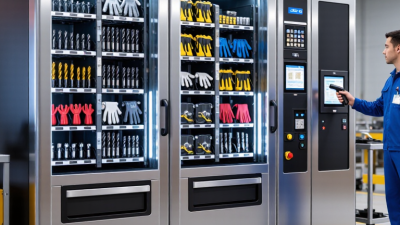
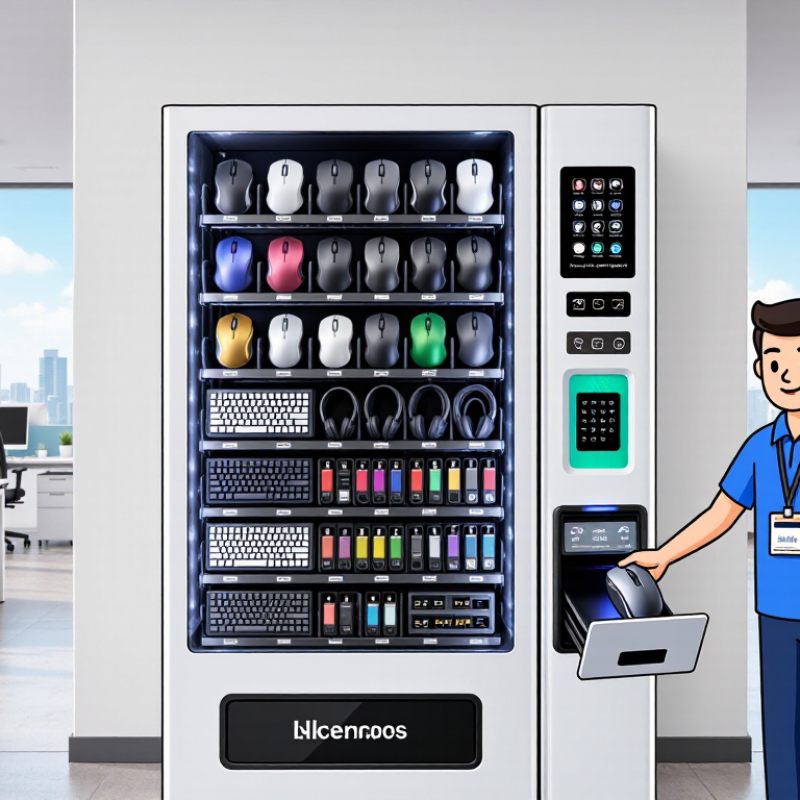
An IT vending machine is a secure, self-service cabinet for issuing workplace technology. An employee taps an ID badge, chooses an approved item, and opens a compartment. The system records who took what and when. Depending on the setup, it may check eligibility, scan asset tags, and update inventory automatically. Some cabinets hold cables and headsets; others store laptops or phones. A small screen can show the remaining stock, while alerts flag low supplies or overdue returns. No magic. The machine works best when connected to accurate staff and asset records.

Gartner projected that 75% of employees would acquire, modify, or create technology outside IT’s visibility by 2027, up from 41% in 2022. That projection highlights a practical use for controlled self-service: staff can get approved equipment quickly, while IT keeps a record of each issue. Verizon’s 2024 Data Breach Investigations Report found that a human element was involved in 68% of breaches. That figure does not prove vending machines prevent breaches; it does reinforce the value of clear access controls and audit trails. The weak point is often ordinary: outdated permissions, forgotten returns, or a cabinet placed where nobody wants to use it. Review the logs and access rules regularly. A machine cannot fix messy processes by itself.
Key Features and Technologies in IT Vending Machines

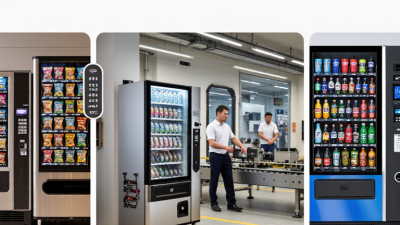
For 2026, effective IT vending machines should make equipment easy to collect and easy to track. A staff member might tap an access card, scan a device barcode, and open a designated locker within seconds. RFID can speed up returns, while barcode scans offer a simpler, lower-cost option. The system should sync with asset-management records, showing who took each item, when it left, and whether it came back. Small details matter. Clear screens, accessible locker heights, and prompts for damaged equipment can prevent avoidable delays.

Security features deserve equal attention. The 2024 Data Breach Investigations Report found that 68% of breaches involved a human element, including errors and social engineering. That figure is not specific to vending machines, but it supports using individual authentication, role-based permissions, and tamper alerts rather than shared access codes. The 2024 Cost of a Data Breach Report put the global average breach cost at $4.88 million. Encrypted connections and audit logs help protect device and user records. But logs are not magic. Poor inventory data or forgotten updates can still mislead managers, so routine checks and a clear process for exceptions remain essential.

Key Capabilities in IT Vending Machines for 2026

Illustrative operational priority scores on a 1–5 scale, not market-share figures or measured survey results. Capabilities include secure access, inventory tracking, system integration, audit trails, and automated restocking.

Common IT Vending Machine Types and Use Cases

What Are the Top IT Vending Machines for 2026?

Common IT Vending Machine Types and Use Cases

IT vending machines generally fall into a few practical categories. Lockable compartments suit laptops, tablets, and other high-value equipment. Staff can collect a device using an approved badge or access code, while the system records who took it and when. This works well for shift handovers and temporary equipment loans. The details matter: a compartment that fits a laptop may not fit its charger.

Bin-based machines are better suited to smaller items, such as mice, headsets, adapters, and keyboards. They can help support teams provide common replacements outside normal office hours. Restricted cabinets offer another option for supplies with tighter access needs, including spare phones or network accessories. Choose the format based on item size, demand, and how much tracking the organization actually needs.

Some workplaces combine lockers for larger devices with bins for everyday peripherals. Before choosing, review usage records and ask staff what they regularly need. A machine placed beside the IT desk may be convenient, but it will not help much on a remote floor. Keep inventory lists current, check stock routinely, and define who handles failed returns. Machines are not magic. A rushed setup can create confusing records, and not every item needs automated control.

How to Compare IT Vending Machines for 2026

For 2026, compare IT vending machines by how well they fit your daily support work, not by screen size alone. Check capacity, compartment sizes, and whether staff can collect laptops, chargers, or adapters without help. Review access controls, user permissions, and audit logs; these should make it easy to see who took an item and when. Ask how the system connects with your inventory and ticketing tools. A smooth demonstration is useful, but it may not reveal every integration problem.

Tips: Test with real items. Check the logs. Measure refill time.

During a pilot, track failed pickups, stockouts, and the minutes needed to replenish each machine. Test what happens when the network drops, an employee changes teams, or an item is returned. These ordinary cases expose practical weaknesses. Compare the full operating cost, including installation, software, support, and replacement parts—not just the purchase price. Ask service providers for response times and a clear process for unresolved faults. One detail is easy to miss: a machine can have impressive capacity yet still frustrate users if its compartments do not fit common equipment. No comparison is perfect; record what your team values most, then weigh each option against those observations.

What Are the Top IT Vending Machines for 2026? How to Compare IT Vending Machines for 2026

Rank Machine Type Typical Access Method Best-Suited IT Items Inventory Control Key Advantages Considerations
1 Smart locker system Badge, PIN, mobile credential, or managed user account Laptops, tablets, monitors, peripherals, and equipment requiring individual assignment Electronic access records; item-level tracking is possible when paired with asset tags or checkout software Suitable for larger or high-value devices; compartments can support returns and controlled handoffs Requires space for lockers and a process for assigning, returning, and inspecting equipment
2 Coil-based vending machine Badge, PIN, or another configured user authentication method Cables, adapters, mice, keyboards, headsets, batteries, and other compact supplies Dispense events can be recorded by user and item when the machine is integrated with inventory software Compact footprint and clear control over frequently used, standardized supplies Product size and shape must fit the dispensing channel; fragile or unusually shaped items may not suit it
3 Carousel or rotating-bin machine Authenticated selection through a screen or keypad Small parts, adapters, storage media, repair components, and assorted accessories Selections and dispensing can be logged; stock visibility depends on configuration and replenishment practices Stores many small item types in a relatively compact area and can limit access to authorized users Item dimensions and weight are constrained by bin design; replenishment needs accurate slot mapping
4 Electronic compartment cabinet Badge, PIN, or centrally managed credentials; selected compartments unlock electronically Mixed-size IT equipment, loaner kits, repair tools, and grouped accessories Compartment access can be logged; precise item-level stock counts may require scanning or manual checks Flexible compartment sizes and convenient collection or return workflows Compartments may hold multiple items, so access logs alone do not always confirm exactly what was taken
5 Hybrid vending and locker system One authenticated interface for dispensing products and opening assigned compartments A combination of consumable accessories and serialized equipment such as laptops or tablets Can combine dispense records with compartment access logs; integration determines reporting detail Supports different item sizes and checkout needs within one managed service point May involve higher setup and integration effort than a single-format machine

Comparison note: These rankings compare machine formats, not individual products. Features, capacity, authentication options, and reporting vary by configuration and software integration. Confirm compatibility with your asset-management, identity, and support workflows before selecting a system.

Leading IT Vending Machine Options and Their Strengths

What Are the Top IT Vending Machines for 2026?

Leading IT Vending Machine Options and Their Strengths

For 2026, the best IT vending machine depends on what staff need and how often they need it. Smart lockers work well for laptops, tablets, and other high-value devices. Individual compartments help track checkouts and returns. A carousel cabinet can suit smaller items, such as mice, cables, and headsets, while using limited floor space. Open-access cabinets are simpler, but they need stronger access controls and regular stock checks.

Hybrid systems combine lockers for expensive equipment with dispensing drawers for everyday supplies. They can connect to staff badges or inventory software, making it easier to record who took an item and when. Before choosing, check device dimensions, replenishment needs, reporting features, and support for your existing systems. A sleek interface matters less if restocking is awkward. No setup is perfect. Sites with uneven demand may still find empty compartments beside slow-moving stock.

Tips: Test the machine with real equipment before purchase. Confirm that doors open easily, checkout steps are clear, and alerts reach the right staff. Review usage reports monthly; a few unusual withdrawals can reveal a poor stocking plan.